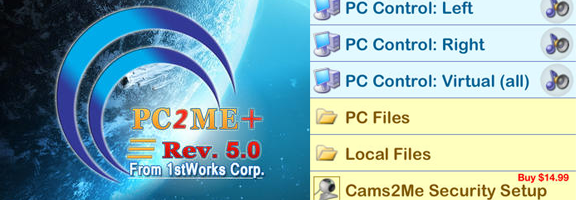

The digital revolution and advancements made in the electronic and electrical fields have contributed to the widespread use of Internet, and security issues have become the chief concern for each and every individual throughout the world. Information and data security is one of the foremost concerns these days for individuals as well as organizations but combining that with a physical security surveillance system of your own on your personal computer helps in monitoring any kind of access when you are away from your home or your office and is one of the best ways to monitor direct and indirect access to your personal computer. Combining PC2ME+ 5.0 for remote access with the “NEW” Cams2Me+, available as an in-app purchase, for camera images, audio plus live alerts for security is a comprehensive and affordable solution.
PC2ME +5.0 is a Windows PC remote controller app for IOS users along with the new added feature of remote surveillance. The “NEW in-App” Cams2ME+ is a home and office surveillance security monitoring complement to the apps remote access. This app also features audio and video recording from connected devices. Other attractive features are multiple PC support and real time audible activity notification pushed directly to the mobile device. The app also comes with one of the most useful and innovative feature where the user can set and select the trigger for motion detection, video detection and audio detection. The app also helps in detecting unauthorized computer access. Real-time or direct notifications will be sent to the iOS devices regarding any unauthorized or unidentified access of your PC. PC2ME +5.0 allows users to exercise fingertip control of their Windows PC from anywhere by using WI – FI, 3G or 4G for control and monitoring. The app also allows Remote File Access along with Remote Desktop Control, Remote Multimedia with local storage of files.
Features:
- Users can easily explore the programs and files from their PC from anywhere and at any time.
- Remote access and control of your PC from any corner of the world through PC2ME +5.0.
- Users can view PC files such as email messages, manage network drives along with the support for file names including all types of international characters.
- The app is optimized to function in all IOS devices (iPad and iPhone).
- The app also allows several users to access the content and information of the same PC at ease.
- Stream music files and videos of your PC in your iPhone and iPad.
- The app supports any Windows operating system; it also doesn’t have any screen limits.
Summary:
PC2ME+5.0 is the best app worth your money, you control it all via your iDevice carried in your pocket or purse for full remote access of your computer; easily access your apps, music and video libraries plus more. Combine with the “NEW” Cams2ME+ for a complete home-office remote surveillance system to enjoy peace of mind while away from your home or office. The PC2ME+ 5.0 app is available in the iStore for just $9.99; and the “NEW inApp Cams2ME+ for $14.99.
Good – Multiple innovative features of the app
Bad – None
Worth Having Application : Download the App