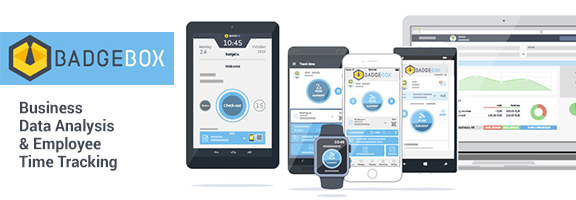
Most businesses tend to face challenge when it comes to tracking the performance of their employees and coming up with accurate business analysis of the overall performance. This can place the business at a critical position where it cannot be able to properly manage its operations as required. How about getting an effective tool that can highly assist in boosting the management and operation of the business? This can indeed improve productivity and cut down on high cost which the business could be incurring. With the introduction of the BadgeBox, the company is able to track employees’ attendance time and performance in relation to the hours worked. Besides, the BadgeBox enables the business to come up with an effective analysis structure that can help the company to establish whether it can make profits after venturing into some projects.
How the BadgeBox operates
This amazing webapp actually functions in a simple manner that the user will find it pretty easy to understand. Interestingly, BadgeBox is able to automate many business administration operations found in the company thus making it easy for the business to undertake other core tasks in good time. Additionally, this webapp is able to facilitate automation of employee tracking in the company in relation to their attendance time and the number of hours worked.
Besides, with the ability of the BadgeBox to analyze and conclude on whether a project is profitable or not, this can enable the company to make informed choices on the best projects to pursue. Another interesting thing about the BadgeBox is that it can either operate while offline or online. This can absolutely boost its convenience and make it worth using anywhere, anytime.
This incredible webapp has displayed exceptional features that make efficient in its performance. In order to consistently boost its operations, BadgeBox requires great platforms that can perfectly support it. These include Windows Phone, iThe Compatibility of the BadgeBox OS, Desktop and Android devices. The devices should exhibit great performance in order for them to work well on the BadgeBox.
Here are the Features that the user will come across the BadgeBox:
High boost in company’s productivity level
One of the key concerns that the BadgeBox takes into account is to ensure that quite a number of business administration functions have been automated. One such task involves facilitating the checking-in and checking-out of employees. Using it real time feature, it is able to give the correct data require. Meanwhile, the company can focus much on the core areas and tasks that need to be undertaken in the company.
Quick analysis of different projects
The ability of BadgeBox to perfectly conduct an effective analysis on different projects enables the business to have an easy time when checking on them. Actually, this tool enables the business to easily identify the projects that can bring profit to the business or those that need to be rejected as they might bring loss to the company. This can always enable the business make a quick informed decision and save much on time spent analyzing the projects.
Perfect time tracking on employees
Apparently, getting a time tracking tool for the employees can absolutely help in not only saving much on time but also give the employees an intuitive and easy interaction. Actually, with BadgeBox, they will just require to tap in order to either clock in or clock out. Interestingly, this process can happen whether there is internet connection or not. The data will always be updated each time there is an online connection. Actually, all the details involving overtime, worked hours and even reduced time will be provided by the BadgeBox in an instant.
Reduce any loss through early detection
BadgeBox is able to monitor and keep full track of the overall performance of the business. This enables it to easily locate any impending loss and help in generation of a quick response to minimize or eliminate it. Thus, it also facilitates creation of different invoices that can be used to manage and control different payments with the aim of improving the performance of the business. Beside, the user will discover that BadgeBox has incorporated Quickbooks which is essential in ensuring that the entire business administration functions have been well-managed.
Here are the Pros and Cons of the BadgeBox
Pros
· Easily tracks clock in and clock out of employees
· Assist in boosting business performance through automation
· Help the business make informed choices on profitable projects
· Convenient; operates both offline and online
· Quite efficient and reliable due to data protection
Cons
· Might take time to detect suppose the employee forgets to clock in
· Can be ineffective if wrong clocking data is put and not corrected
Final Verdict
BadgeBox has proven to be an essential tool that can be used by individuals and companies in keeping timing track for the employees and in analysis of different operations. Interestingly, it is well compatible with many management systems and devices thus making it easy to export data of different companies. With its ability to operate online and offline, integrating Quickbooks, giving push notification to those who have not clock-in and applying effective GPS system, BadgeBox has come out as an exceptional component that can indeed boost the productivity of the business and save much on cost and time. Thus, it is worth adopting!
Currently, it is absolutely free for personal use and comes with a 35-day trial for the company. After the trial period has expired, the cost (which is relatively small) will depend on the number of employees using the BadgeBox. Get it today and transform the company completely in a positive way!
Worth Having App – Download the App