Fast Talkie – Zello from Lock Screen

by | Apr 28, 2018 | Reviews | 0 comments

People did notice few new sensational apps that hit the Play Store, so they have bit trying up to do in terms of latest releases. One that specifically caught among many users was Fast Talkie – Zello from Lock Screen because of the best features. Needless to say, persuasive developers did an awesome job with Fast Talkie – Zello from Lock Screen in terms of beneficial features, which I think are worth recommending to others.

Generally users raise question what is Fast Talkie? Primarily Fast Talkie permits Zello users to send Push-to-talk messages with a locked device screen by using the volume down button.

Why Fast Talkie

Supe4rlative and Effective

With this popular app of Fast Talkie employees can communicate and respond to each other more effectively and efficiently.

Saves Time

By using this Fast Talkie, sending a Push-to-Talk message could be performed by pressing couple button which saves you from the hassle of unlocking your device over and over again.

Ready On-the-Go

Fast Talkie allows you to send messages without looking at the device screen.

Fastest way to start or reply to PTT

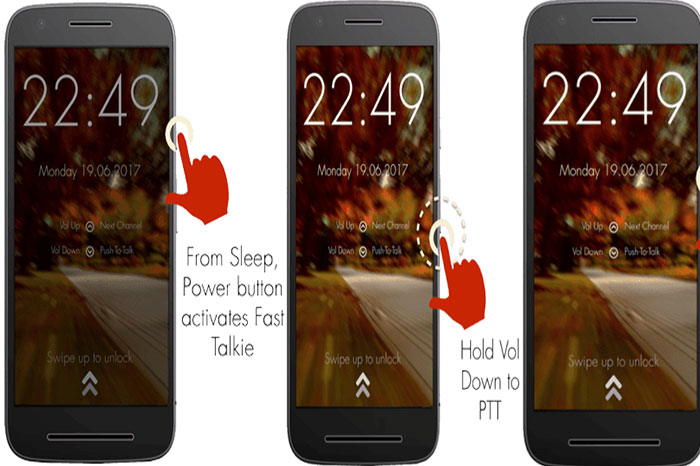
  • Press Power button to wake up phone
  • Hold Volume Down to PTT in the previously selected Zello Channel

Setup Required

  • Install Fast Talkie
  • Enable Permissions – Draw over Apps & Device Administrator
  • Choose a Zello Contact or Channel
  • Press Power button to lock your phone

How to Setup Fast Talkie on Zello

Once you download & Install Fast Talkie, you can open the app to complete the setup process mentioned below

  • You can enable Draw Over Other Apps
  • Activate Device Admin
  • FT Service – (Enable)

Zello (Intent)

Select Zello Intent > Lock Screen Now > Try Fast Talkie

Zello (Media)

If Fast Talkie doesn’t work with Zello (Intent), Select Zello (Media) & follow the Setup Instructions (below).

Zello Setup Instructions

  • Open Zello App
  • Go to Options
  • Select Push-to-Talk Buttons
  • Plug in Headset ( 1 or 3 Button)
  • Select Add Button
  • Press Media Button on Headset, Headset Hook is setup
  • Go to Zello Contacts > Select user, you want to talk.
  • Go to Fast Talkie App & Press LOCK SCREEN NOW
  • Press Volume Down Button on device to send PTT Message

Headset Settings

  • Wired/Bluetooth Headset (1 Button)
  • 1 Button Headsets allows users to send PTT Messages via Toggle Mode.

Example – Press Media button to Start Message. Press Again to End Message.

Finally I strongly suggest giving Fast Talkie – Zello from Lock Screen a try if you are in the mood for unique app this weekend with a good emphasis on salient features.


 

DEVELOPERS SITE

DOWNLOAD FROM PLAY STORE

Article Summary by AI

Fast Talkie - Zello from Lock Screen revolutionizes communication by letting users send Push-to-Talk messages without unlocking their device. Fast, efficient, and ready for on-the-go use, it saves time and enhances connectivity. Perfect for busy professionals! #FastTalkie #Zello

YOU MAY ALSO LIKE THESE

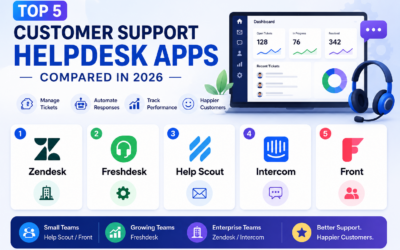
Top 5 Customer Support Helpdesk Web Apps Compared in 2026

Top 5 Customer Support Helpdesk Web Apps Compared in 2026

Once a business grows past a handful of customers, a shared inbox stops being enough to manage support requests, tickets get missed, response times slip, and nobody has a clear view of what's actually outstanding across the whole team. A proper helpdesk web app fixes...

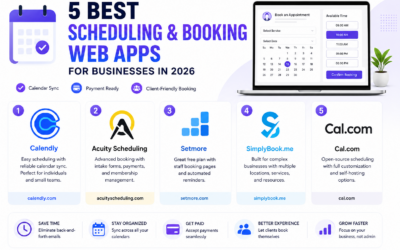
Best Scheduling and Booking Web Apps for Businesses in 2026

Best Scheduling and Booking Web Apps for Businesses in 2026

The back-and-forth of finding a mutually available meeting time still eats up more time than it should for a huge number of businesses, especially client-facing ones juggling appointments across multiple staff members or service types. A good scheduling web app...

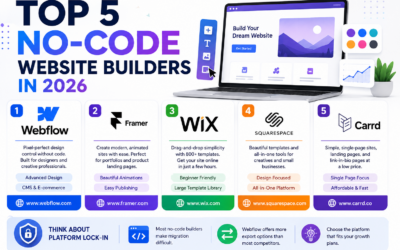
Top 5 No-Code Website Builders in 2026

Top 5 No-Code Website Builders in 2026

No-code website builders have closed the gap with custom-coded sites so significantly that most small businesses and freelancers genuinely no longer need a developer just to launch a professional-looking website. The real differences between the top platforms now come...

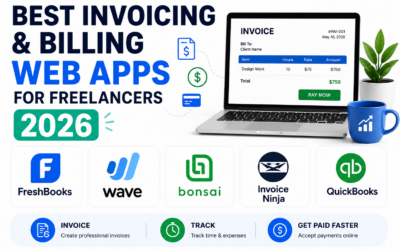
Best Invoicing and Billing Web Apps for Freelancers in 2026

Best Invoicing and Billing Web Apps for Freelancers in 2026

Chasing late payments is one of the most draining parts of freelancing, and a surprising amount of that friction comes down to sending invoices that look unprofessional, lack clear payment terms, or make it genuinely inconvenient for a client to actually pay. The...

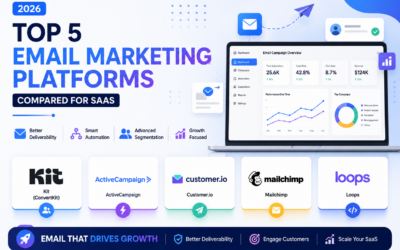
Top 5 Email Marketing Platforms Compared for SaaS in 2026

Top 5 Email Marketing Platforms Compared for SaaS in 2026

Email remains one of the highest-return marketing channels a SaaS company has, but only if the platform behind it handles deliverability, automation, and segmentation properly at scale. Picking the wrong tool early on tends to cause real pain later, migrating a large...

Best Email Marketing Web Apps in 2026 Reviewed

Best Email Marketing Web Apps in 2026 Reviewed

Email marketing consistently delivers the highest return on investment of any digital marketing channel in 2026, with industry analyses regularly showing returns of thirty to forty dollars for every dollar invested in well-executed campaigns. The platform you use to...

Best CRM Web Apps for Small Business in 2026

Best CRM Web Apps for Small Business in 2026

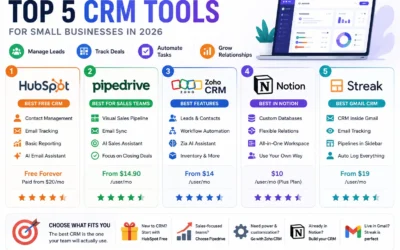
A CRM - Customer Relationship Management tool - is the single highest-leverage software investment most small businesses make in 2026. Without one, client information lives across email threads, spreadsheets, sticky notes, and individual team members' memories,...

How to Make Money with Web Apps in 2026

How to Make Money with Web Apps in 2026

Building a web app is only half the equation. Choosing the right monetisation model in 2026 determines whether it becomes a profitable business or a passion project that costs you money to maintain. Many technically excellent products fail not because of what they...

Top 5 Web App Dev Tools for Startups 2026

Top 5 Web App Dev Tools for Startups 2026

Speed matters most for startups. The right development tools in 2026 can take a web app from idea to production in days rather than months. The wrong tools create technical debt, deployment friction, and team onboarding costs that slow you down at exactly the moment...