iCrimeFighter – iOS App with More Investigation Tools

by | Oct 10, 2011 | Reviews | 0 comments

When you think of a crime scene, there are many aspects that you will need to remember when you collect evidence. Since you get to the scene, there are many things that you can miss if you do not start compiling that evidence immediately. However, carrying video cameras, voice recorders and pen and paper can prove to be a hassle if you are alone at the crime scene. Icrimefighter provides every single one of these tools in one place, allowing you to compile your evidence in an organized and simple way, by using your iPhone, iPod Touch or iPad.

Some people start by taking interviews from the people around the crime scene as well as the people involved, so you would start by recording them on your voice recorder. When you start up iCrimefighter, you have the Interview Icon on your menu, which allows you to record as many interviews as you can, and classifying them by name. Once you have those interviews ready, you can proceed to take some pictures of the crime scene or car accident as well as the lesions on the people affected if you would want the insurance to have that evidence later on.

Videos are very important, as they provide both pictures and audio from the scene and can give out details that you may have missed, so this icon is one of the most crucial to have once you start looking at the evidence. If you have any additional comments on the crime scene, you can jot these down on the notes icon, which you can also use to summarize the events that went on at the crime scene. Every event is on the View/edit cases, where you can browse through case numbers and edit the information once you want to add the finishing touches.

Whether you want to use it for car accidents, crime scenes or other aspects, iCrimefighter provides a great selection of tools for EMS, Law enforcement and people who are there to help first. The best part about this application is that you can carry all of these on your iPhone/iTouch or iPad. You also have the ability to classify each case by case number or name, which keeps the information organized and concise. So whenever you need to look for the case for the insurance company or to create a file on your computer, you can find each case easily and effortlessly.

So what price tag does this application have? As far as price tag goes, you won’t need to worry about paying too much for this application. You actually pay for what this app is worth and we believe that $2.99 is a great price for this application, considering that you won’t have to pay for a notebook to jot down every single case, that you will have it all organized and that you will not lose your data while you use this application. We would suggest, however, that users have the option to have this application as password protected, just in case the device is stolen. While people might just erase the data on the phone, it is very important to have information like crime scenes as confidential. Apart from that matter, this application has been rated five stars by users which are mostly from law enforcement and that will definitely recommend this to anyone without thinking otherwise. Do yourself a favor and buy this application, after all, you may have already spent money on things that you don’t really need. So why not buy an application that you will actually use over and over again?

Must have app for Crime investigation – Download the App Today.

Article Summary by AI

iCrimeFighter is a must-have app for law enforcement and EMS, consolidating essential tools like voice recorders, photo and video capture, and note-taking into one device. Effortlessly organize evidence at crime scenes or accidents—streamlining investigations right from your iPhone or iPad!

YOU MAY ALSO LIKE THESE

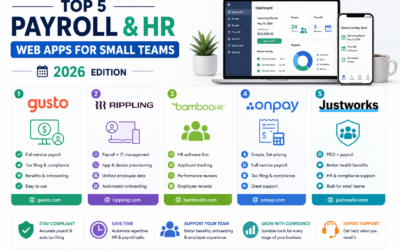
Top 5 Payroll and HR Web Apps for Small Teams in 2026

Top 5 Payroll and HR Web Apps for Small Teams in 2026

Payroll is one of those business tasks where a small mistake carries an outsized cost, whether that's a missed tax filing deadline or an employee paid incorrectly two pay periods in a row. Manually tracking hours, deductions, and benefits in a spreadsheet works right...

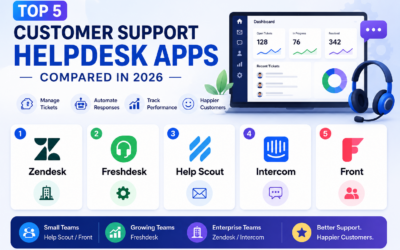
Top 5 Customer Support Helpdesk Web Apps Compared in 2026

Top 5 Customer Support Helpdesk Web Apps Compared in 2026

Once a business grows past a handful of customers, a shared inbox stops being enough to manage support requests, tickets get missed, response times slip, and nobody has a clear view of what's actually outstanding across the whole team. A proper helpdesk web app fixes...

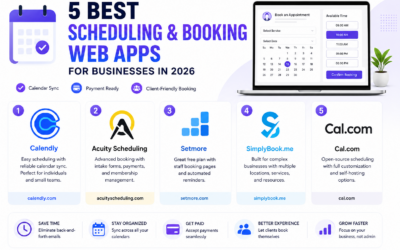
Best Scheduling and Booking Web Apps for Businesses in 2026

Best Scheduling and Booking Web Apps for Businesses in 2026

The back-and-forth of finding a mutually available meeting time still eats up more time than it should for a huge number of businesses, especially client-facing ones juggling appointments across multiple staff members or service types. A good scheduling web app...

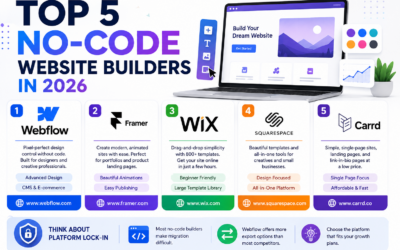
Top 5 No-Code Website Builders in 2026

Top 5 No-Code Website Builders in 2026

No-code website builders have closed the gap with custom-coded sites so significantly that most small businesses and freelancers genuinely no longer need a developer just to launch a professional-looking website. The real differences between the top platforms now come...

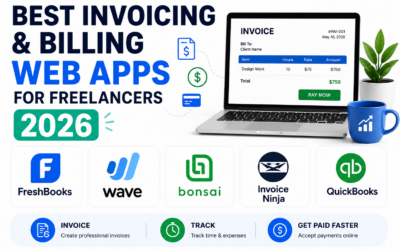
Best Invoicing and Billing Web Apps for Freelancers in 2026

Best Invoicing and Billing Web Apps for Freelancers in 2026

Chasing late payments is one of the most draining parts of freelancing, and a surprising amount of that friction comes down to sending invoices that look unprofessional, lack clear payment terms, or make it genuinely inconvenient for a client to actually pay. The...

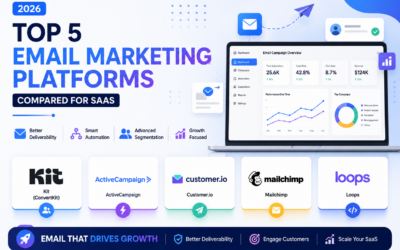
Top 5 Email Marketing Platforms Compared for SaaS in 2026

Top 5 Email Marketing Platforms Compared for SaaS in 2026

Email remains one of the highest-return marketing channels a SaaS company has, but only if the platform behind it handles deliverability, automation, and segmentation properly at scale. Picking the wrong tool early on tends to cause real pain later, migrating a large...

Best Email Marketing Web Apps in 2026 Reviewed

Best Email Marketing Web Apps in 2026 Reviewed

Email marketing consistently delivers the highest return on investment of any digital marketing channel in 2026, with industry analyses regularly showing returns of thirty to forty dollars for every dollar invested in well-executed campaigns. The platform you use to...

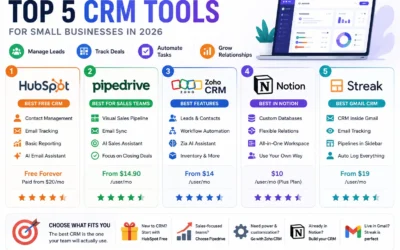
Best CRM Web Apps for Small Business in 2026

Best CRM Web Apps for Small Business in 2026

A CRM - Customer Relationship Management tool - is the single highest-leverage software investment most small businesses make in 2026. Without one, client information lives across email threads, spreadsheets, sticky notes, and individual team members' memories,...

How to Make Money with Web Apps in 2026

How to Make Money with Web Apps in 2026

Building a web app is only half the equation. Choosing the right monetisation model in 2026 determines whether it becomes a profitable business or a passion project that costs you money to maintain. Many technically excellent products fail not because of what they...

Top 5 Web App Dev Tools for Startups 2026

Top 5 Web App Dev Tools for Startups 2026

Speed matters most for startups. The right development tools in 2026 can take a web app from idea to production in days rather than months. The wrong tools create technical debt, deployment friction, and team onboarding costs that slow you down at exactly the moment...