WeVideo – Video Editor that Makes Video Editing Easy

by | May 8, 2013 | Reviews | 0 comments

wevideo

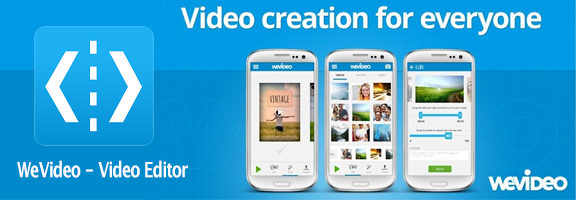
WeVideo has been known for its video editing application that has been available till now for the Chrome Web Store alone. The company has now taken its next leap by creating a free Android app, although with limited features. Those who have used it first noticed the simple and great- looking interface. The app itself has been kept simple but allows quality editing and trimming of the video clips on your mobile device.

There are a lot of enhancing and appealing features that this app has to boast of. You can directly record videos onto your mobile device, edit them to add a plethora of effects, upload your videos to its cloud and even trim them as per your need. You can also edit photos and music from your mobile device besides just videos.

WeVideo helps you unleash your creative skills and inspire your video-making talents with this app. It allows you the freedom of adjusting the volume of your tracks, arranging clips, adding a touch of style with the splendid WeVideo themes, unique video effects and its built-in music. Add your own titles, filters and transitions to make your video unique and enterprising. Once you have created your final videos, the app allows you to import them to YouTube, WeVideo or Vimeo or share them on Facebook or Twitter, with one single click.

One of the most striking and unique features of the WeVideo- Video Editor app is that it syncs your mobile device with its cloud. This means any changes made will not be lost even if they aren’t saved, giving you the power to edit videos with full control. Further, you can also access your projects from your computer or another device on account of it being stored on a cloud. Videos recorded with this app can also be stored on the gallery of your mobile device with equal ease and comfort.

This android app has a very simple interface with essential basic features that work quite well. However, there is a lack of features to edit audio, making it very hard to sync with any kind of music files. The themes available are inbuilt but there is no option for customizing your own themes. This would be a welcome additional feature. Although the inbuilt themes are varied, they don’t also suit the theme of your video.

Capturing moments and memories on the spot with WeVideo-Video Editor is a highly simplified task. Then, you can edit them and share them with family and friends. You can produce videos of high quality with this android app and also edit them to suit your needs.

If you are looking for a simple video editor to perform basic video editing, then WeVideo would be an excellent and impressive choice. However, if you want to look into more granular edits, then this app lacks tools to do that. There are many features like the cloud sync, social networking and simple interface that give you more than you expect from just any basic video editor app.

Good: Cloud sync, simple interface

Bad: Lack of customizable themes and audio-editing features

Worth Having Application – Download the Application

Article Summary by AI

WeVideo makes video editing easy on Android with a sleek interface and essential features. Record, edit, and share videos seamlessly while syncing with the cloud. Though audio editing is limited, it’s perfect for budding creators looking to enhance their video-making skills! #WeVideo

YOU MAY ALSO LIKE THESE

Top 5 Payroll and HR Web Apps for Small Teams in 2026

Top 5 Payroll and HR Web Apps for Small Teams in 2026

Payroll is one of those business tasks where a small mistake carries an outsized cost, whether that's a missed tax filing deadline or an employee paid incorrectly two pay periods in a row. Manually tracking hours, deductions, and benefits in a spreadsheet works right...

Top 5 Customer Support Helpdesk Web Apps Compared in 2026

Top 5 Customer Support Helpdesk Web Apps Compared in 2026

Once a business grows past a handful of customers, a shared inbox stops being enough to manage support requests, tickets get missed, response times slip, and nobody has a clear view of what's actually outstanding across the whole team. A proper helpdesk web app fixes...

Best Scheduling and Booking Web Apps for Businesses in 2026

Best Scheduling and Booking Web Apps for Businesses in 2026

The back-and-forth of finding a mutually available meeting time still eats up more time than it should for a huge number of businesses, especially client-facing ones juggling appointments across multiple staff members or service types. A good scheduling web app...

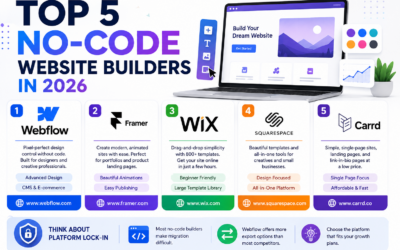
Top 5 No-Code Website Builders in 2026

Top 5 No-Code Website Builders in 2026

No-code website builders have closed the gap with custom-coded sites so significantly that most small businesses and freelancers genuinely no longer need a developer just to launch a professional-looking website. The real differences between the top platforms now come...

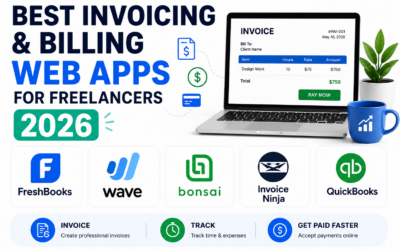
Best Invoicing and Billing Web Apps for Freelancers in 2026

Best Invoicing and Billing Web Apps for Freelancers in 2026

Chasing late payments is one of the most draining parts of freelancing, and a surprising amount of that friction comes down to sending invoices that look unprofessional, lack clear payment terms, or make it genuinely inconvenient for a client to actually pay. The...

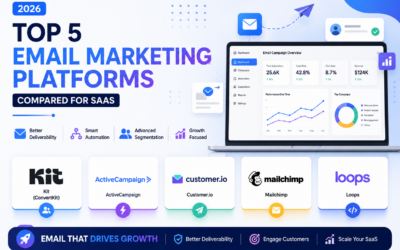
Top 5 Email Marketing Platforms Compared for SaaS in 2026

Top 5 Email Marketing Platforms Compared for SaaS in 2026

Email remains one of the highest-return marketing channels a SaaS company has, but only if the platform behind it handles deliverability, automation, and segmentation properly at scale. Picking the wrong tool early on tends to cause real pain later, migrating a large...

Best Email Marketing Web Apps in 2026 Reviewed

Best Email Marketing Web Apps in 2026 Reviewed

Email marketing consistently delivers the highest return on investment of any digital marketing channel in 2026, with industry analyses regularly showing returns of thirty to forty dollars for every dollar invested in well-executed campaigns. The platform you use to...

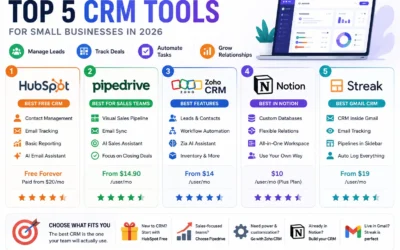
Best CRM Web Apps for Small Business in 2026

Best CRM Web Apps for Small Business in 2026

A CRM - Customer Relationship Management tool - is the single highest-leverage software investment most small businesses make in 2026. Without one, client information lives across email threads, spreadsheets, sticky notes, and individual team members' memories,...

How to Make Money with Web Apps in 2026

How to Make Money with Web Apps in 2026

Building a web app is only half the equation. Choosing the right monetisation model in 2026 determines whether it becomes a profitable business or a passion project that costs you money to maintain. Many technically excellent products fail not because of what they...

Top 5 Web App Dev Tools for Startups 2026

Top 5 Web App Dev Tools for Startups 2026

Speed matters most for startups. The right development tools in 2026 can take a web app from idea to production in days rather than months. The wrong tools create technical debt, deployment friction, and team onboarding costs that slow you down at exactly the moment...