Video conferencing has become such a routine part of daily business operations that the choice of platform genuinely shapes how a team communicates every single day, not just an occasional tool pulled out for special meetings. The leading platforms have converged on similar core features, screen sharing, recording, and basic chat, which means the real differences now show up in AI features, pricing structure, and how well each tool integrates with the rest of a company’s existing software stack. Reliability under pressure also remains a genuine differentiator, since a call that drops during an important client pitch leaves a lasting negative impression regardless of how many other features a platform offers. Here are five web-based video conferencing tools worth comparing for business use in 2026.
Zoom
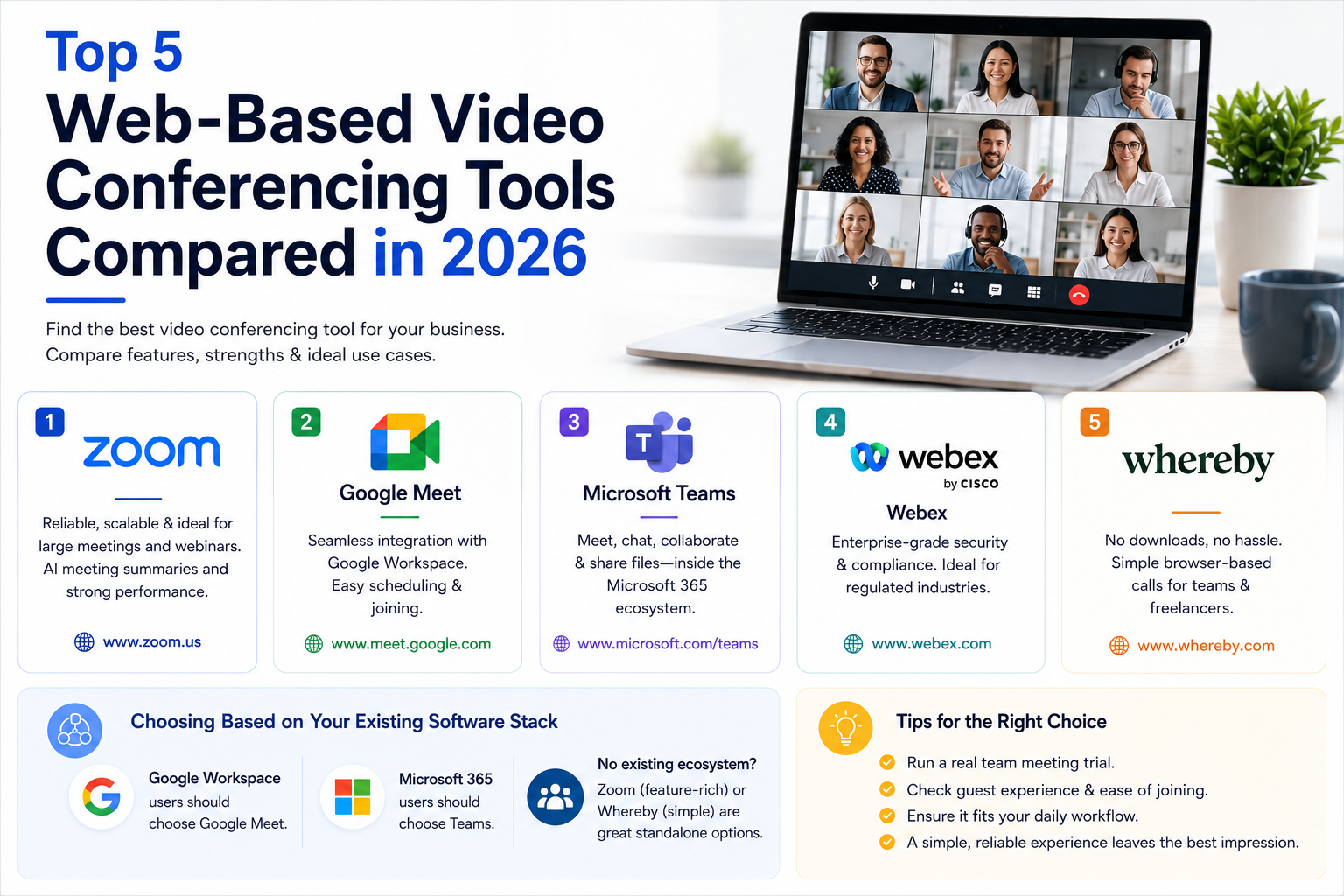
Zoom remains genuinely strong for reliability and large-scale webinar support, with AI-powered meeting summaries that have become a standard expectation many competitors are still catching up to fully match.
Google Meet
Meet’s tight integration with Google Workspace makes it a genuinely obvious default for businesses already using Gmail and Google Calendar, with meeting scheduling and joining feeling seamless within that existing ecosystem.
Microsoft Teams
Teams bundles video conferencing with chat and file collaboration inside the Microsoft 365 ecosystem, making it the natural choice for businesses already standardized on Office and SharePoint for daily work.
Webex
Cisco’s Webex maintains a genuinely strong reputation in enterprise and regulated industries, with robust security certifications that matter considerably for businesses in healthcare, finance, or government contracting.
Whereby
Whereby focuses on genuinely simple, no-download browser-based calls, appealing to smaller businesses and freelancers who want a frictionless meeting link to share with clients without requiring any app installation on their end.
Choosing Based on Your Existing Software Stack
The single biggest factor in choosing a video conferencing tool for most businesses isn’t feature comparison, it’s which ecosystem your team already lives in day to day, since a tool that integrates seamlessly with existing calendar and email systems removes far more daily friction than a marginally better feature set from a disconnected competitor. Businesses on Google Workspace should default toward Meet, and Microsoft 365 users toward Teams, unless there’s a genuinely compelling reason to add a separate tool, since maintaining two overlapping systems for the same basic function creates unnecessary complexity and cost. For businesses without an existing ecosystem commitment, or those needing to host external clients who may not want to install anything, Zoom and Whereby respectively offer the strongest standalone options worth considering.
The right video conferencing tool ultimately comes down to fitting seamlessly into your team’s existing daily workflow rather than chasing the platform with the longest feature list on paper. Whichever you choose, run a genuine trial with a real team meeting rather than a solo test call, group dynamics and real-world screen sharing tend to reveal friction points that a one-person demo simply won’t surface. Pay attention to how guests outside your organization experience joining too, that first impression matters considerably for client-facing calls specifically. A confusing join process for an external guest reflects poorly on your business regardless of how smoothly the platform performs for your own internal team. A simple, one-click join link genuinely makes a stronger first impression than any AI feature buried a few menus deep. It’s a small detail that’s easy to overlook during evaluation but shows up constantly in how clients actually perceive your business day to day.